
your online store from failures that stop sales
Monitoring and support
Uptime of our clients' websites
Average response time to a request
regular backups
technical support for your business
the site "fell" during the peak season and you are losing money every minute.
Your website has been hacked, customer data has been stolen, and your reputation has been ruined.
After updating the plugins, the site started to "slow down" and customers were leaving.
The "Buy" button doesn't work or product photos have disappeared, and you don't even know about it.
A minor edit needs to be made, and your developer is gone.
We constantly monitor the availability of your site to prevent problems.
We protect your site from vulnerabilities and always have a backup copy.
We monitor performance and ensure fast loading.
we quickly find and fix any malfunctions.
The team is in touch - you always have someone to turn to with any question or task.
Our monitoring system instantly notifies us of any outages, allowing us to respond before you even notice a problem.
We design the user journey to make it as simple, convenient, and conversion-friendly as possible.
And also makes small improvements: from changing texts and buttons to setting up new blocks.
We advise you and your team on working with the admin panel, CRM, and other systems so that you can use them 100%.

We've created a short and clear path from meat selection to order confirmation.
We created a stable and fast platform with a focus on mobile users.
Reduced page load times to reduce bounce rates.

We created a logical structure of the catalog, filters by collections, sizes and types of goods.
We launched a system for managing goods, customers, orders and warehouse with automatic synchronization.
We implemented an adaptive interface with high loading speed and correct operation on mobile devices.

We designed a user-friendly and emotional interface with an emphasis on quick selection of bouquets and arrangements, browsing by occasion and price, and a simple checkout process without unnecessary steps.
The flower online store was built using Next.js and Laravel, providing convenient management of the bouquet catalog, products, promotions, and seasonal offers.
Online payments and delivery services were set up with automatic cost calculation, as well as the ability to choose the delivery date and method for flowers.
We sign a Service Level Agreement, where we clearly record our response time, scope of work, and cost, so you always know what to expect.
Before starting work, we conduct a full technical audit of your site, set up monitoring systems, and create the first backup.
Our system works 24/7. We regularly provide you with reports on the status of the site, updates made, and time spent on your tasks.
You can send us tasks via a channel convenient for you (Telegram, Email, CRM). Each request receives its own priority, and you can see the status of its execution.
In the event of a critical failure (e.g., the site is unavailable), our team responds immediately, regardless of the time of day, to minimize your financial and reputational losses.

Imagine that your online store is already growing. Orders are coming in steadily and in large volumes, and you can no longer manage inventory storage, pack each parcel, and run to the post office yourself. Managers spend hours on logistics instead of sales. If you constantly think, “Where can I get more warehouse space?”, it’s […]
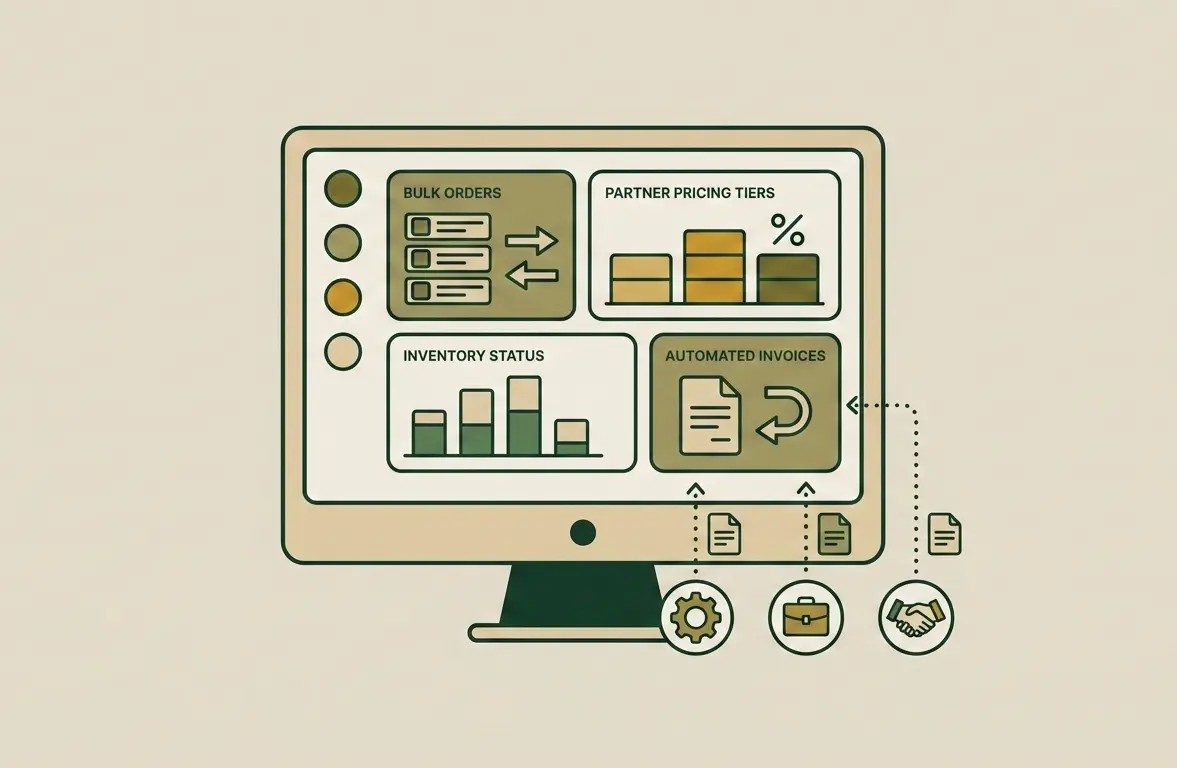
B2B e-commerce is the stage of a company’s maturity when direct business-to-business sales exceed retail in volume. If you still manage wholesale clients through email, Excel spreadsheets, and phone calls, you are not controlling your business potential. Instead, you depend on the human factor. Creating a B2B portal is not an expense for a new […]
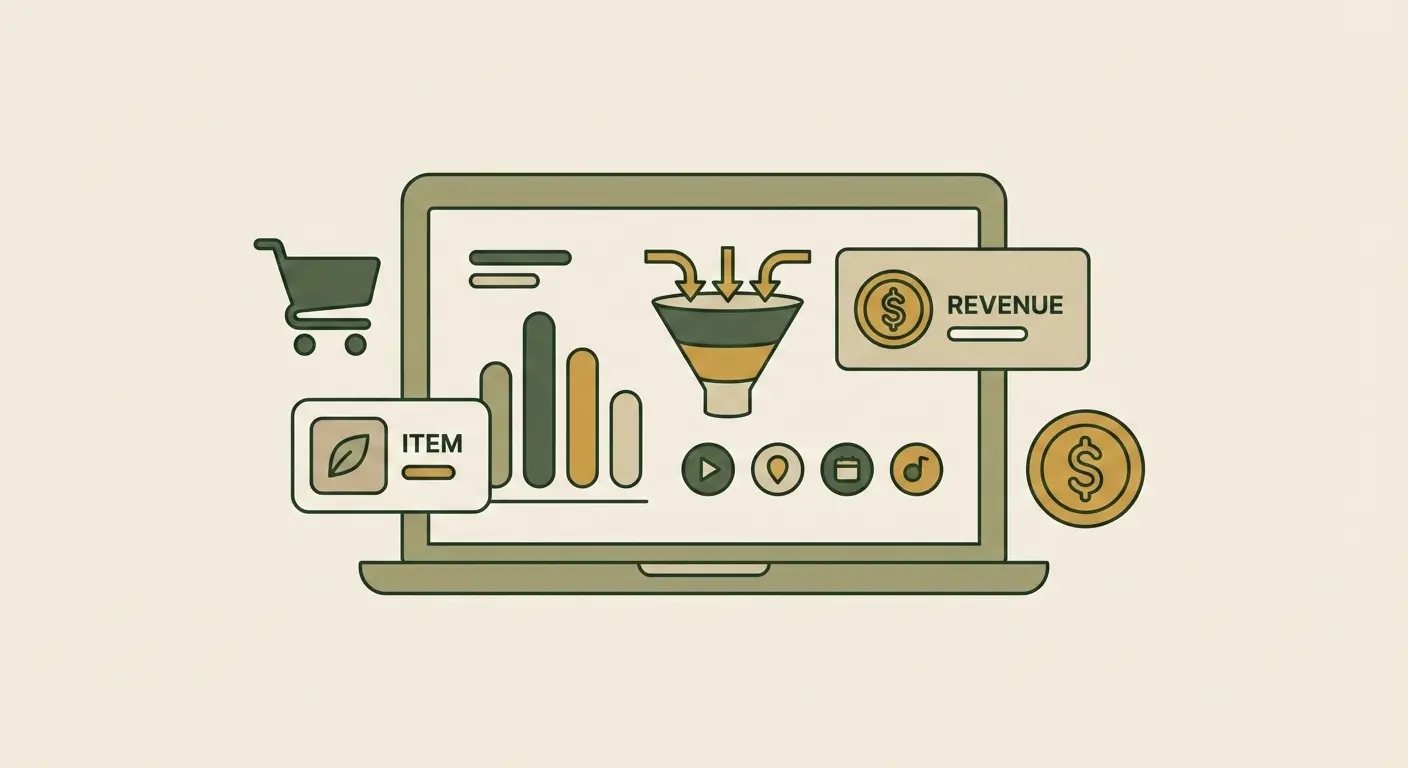
If you don’t measure, you don’t manage. An online store owner who makes decisions based on intuition is like a driver with their eyes blindfolded. Today, Google Analytics 4 (GA4) is not just a trendy tool — it is a critically important instrument for the survival and growth of your business. We will show how […]
We offer both hourly rates and monthly packages that include a certain number of hours of work from our specialists. Package rates are more profitable for regular support.
We always warn you about this in advance. If the task goes beyond the scope of the package, we estimate it separately and start work only after your approval. No unexpected bills.
The response time is fixed in the contract and depends on the priority of the task. For critical incidents (for example, the site "fell") we respond within 1 hour. For ordinary tasks - from 1 to 24 hours.
We prefer to support our own projects because we know them well. However, we can also support a third-party site after conducting a full technical audit to assess its status and scope of work.
This is your peace of mind starter package. It includes fixing any technical bugs that are not your fault, minor content edits (changing text, buttons), and consulting on how to work with the site.
Let's discuss what level of support your business needs for maximum protection and stability.
Phone
+38 (066) 544 20 11We work online
Sunday - day off

Website Technical Support
Once a website is launched, it can’t simply be left as it is. A form stops working here, a plugin conflicts after an update there, speed drops somewhere else, or an integration runs into trouble.
Technical maintenance keeps these issues from piling up. The team monitors the project’s condition, responds to failures and keeps the technical side in order without constant firefighting.
Why Every Website Needs Technical Support
Even a well-built website starts demanding attention over time. The load changes, new services get connected, and users find scenarios that weren’t covered during testing. Regular website support keeps small technical issues from turning into problems your customers notice.
Uninterrupted Operation Without Errors or Downtime
If the cart, a request form or checkout stops working, the business loses not some abstract “stability” but actual orders. The same goes for a page that suddenly won’t open after an update. The task of support here is simple: the website must keep working at every point a user passes through on the way to a purchase or an inquiry.
Full Security and Data Protection
A website handles customer data, orders, admin panel access and sometimes payment information. If this data is at risk, the problem is no longer just a technical one. Website technical support is needed to spot risks early rather than waiting until you have to clean up the consequences of a hack or lost access.
Stable Performance and Website Availability
A website can run fine with a hundred visitors a day and start slowing down when traffic grows several times over. This is especially noticeable in catalogs, search, filters and at checkout. Website support and maintenance are needed to find these bottlenecks in time, before slow performance becomes something users simply get used to.
Fast Problem Resolution
Failures rarely happen at a convenient moment. Payments can stop going through in the evening, a form can break on a weekend, and the CRM integration can fail right in the middle of an order rush. In these situations, you don’t want to be searching for a developer from scratch; you want a team that already knows the site and can quickly get it back to normal.
Higher Conversion Rate
Sometimes the reason for weak sales lies not in advertising or product pricing. A button doesn’t respond on a smartphone, a form clears the entered data, a cart error appears right before payment. Website maintenance ensures that small technical glitches like these don’t cut off part of your buyers right on their way to placing an order.
Saving Time and Money
A small technical issue is usually easier to fix right away than to come back to after a series of failures. Overdue updates, full storage or module conflicts can lead to several jobs instead of one. Regular maintenance lets you handle these things on schedule, without emergency website recovery or unnecessary costs.
What Website Technical Support Includes
Website technical support depends on the platform, functionality, load and the current state of the project. At the start, we determine what needs regular monitoring, which tasks take priority and where the technical risks are. From then on, the team works within the context of your specific website instead of figuring it out from scratch every time.
24/7 Website Uptime Monitoring
We check whether the site opens, whether the server responds and whether critical pages are available. If the site goes down or starts returning errors, this should be noticed immediately, not after a customer complaint. This kind of monitoring makes it possible to register the failure quickly and move on to finding its cause.
Website Updates and Backups
CMS, plugins and other components shouldn’t be updated blindly: a new version may conflict with already installed modules or custom code. Before making changes, we check compatibility, and we make backups so the site can be quickly restored to working condition. For projects with large amounts of data, we separately plan where and how backups are stored, including on the server infrastructure.
We set backup frequency based on how often data on the site changes. For a store with a steady flow of orders, one backup a week may not be enough, since along with the site you would also need to restore an up-to-date database. That is why we set up separate backup schedules for files and the database and make sure the backups keep pace with how the project actually operates.
Speed Optimization
We don’t look for a “slow website” in general, but for the specific place where it loses time: heavy images, unnecessary scripts, long database queries, an overloaded plugin or server settings. Then we work precisely on the cause. After the fix, we measure speed again to see the result in numbers rather than relying on a feeling that it “seems faster”.
Fast Troubleshooting
When an error appears, we first localize it: we check where exactly the failure occurred and what caused it. Then we fix the problem in the code, settings, module or integration and rerun the scenario in which it appeared. This way we make sure it’s the cause that has been eliminated, not just its visible symptom.
Protection Against Hacking and Malware
We check for suspicious files, third-party code, unusual admin panel logins and attempts to access restricted sections. If we find a problem, we remove the malicious changes and close the vulnerability. We also review user permissions and access to critical parts of the site. Learn more about protecting data, access and the site itself in our article on online store security.
Professional Consulting and Team Training
Not every small change needs to go to a developer. We show your team how to work safely through the admin panel: add products, edit content, check orders and use the necessary modules. We also explain which actions they can perform on their own and where it’s better not to take risks without a technical specialist.
Another point is access rights. Not every employee needs administrator privileges, especially if the admin panel allows changing store settings or deleting data.
We help assign roles, explain who needs which level of access and, if needed, onboard new employees to work with the site. This way, website administration doesn’t depend on a single person and still remains under control.
Website Support and Maintenance: How We Work Together
In ongoing support, what matters is not only what the team does, but also how the collaboration is organized. The client should understand where to submit tasks, how priority is set and when to expect results. That is why website support and maintenance at Kliox works as a continuous process rather than a set of one-off requests.
Contract and Website Audit
First, we agree on the work format: what the support covers, how requests are submitted and what access the team needs. During the audit, we record the project’s technical picture: CMS and module versions, integrations, server, database and custom modifications. This information becomes the baseline for further support.
Uptime and Technical Health Monitoring
After the audit, we determine what needs constant monitoring in this particular project: for one it’s database load, for another it’s payment integration stability. Unlike a basic uptime check, here we also track gradual changes in technical health that don’t break the site on their own but set the stage for a future failure.
Request Handling and Bug Fixing
Each client request is logged as a separate task, and its priority is set right away. If an error blocks payment or checkout, it goes into work first; minor edits can be scheduled. After completion, we check the result and report exactly what was done, so the client isn’t left with “hanging” issues without a status.
Reporting and Recommendations
At the end of each period, the client receives a clear summary: what was fixed, what changes were made and where technical risks still remain. If we see a problem that shouldn’t be postponed, we explain the cause separately and propose the next step. This way, support includes not only completed tasks but also a plan for what should be done next.
We also keep a history of important changes in the project: what was updated, which modules were modified, where integrations or settings were changed. This log is useful for future work, because support doesn’t have to figure out previous decisions all over again but can see what was changed before and why.
What Determines the Cost: Pricing Plans
The cost of support depends not so much on the size of the website as on the actual volume of technical tasks. One project needs a few scheduled jobs a month, while another has complex integrations, custom functionality and stricter response time requirements.
We choose the plan after assessing the team workload and the support format. If the scope of work changes, we agree on it with the client separately rather than adding new costs after the fact.
The budget also depends on whether support includes hosting maintenance and server configuration. For one site, it’s enough to work only with the code and CMS; for another, the team is also responsible for the server environment, several domains or separate staging versions.
We also take regular improvements into account. When new features, integrations or business logic changes come up every month, they require reserved developer time.
Which Platforms We Support
We work with WordPress, OpenCart, Shopify and other CMS. Each platform has its own typical problems. WordPress website support often comes down to plugins and updates, OpenCart depends heavily on modules and catalog logic, and Shopify on the theme and installed apps.
If your store isn’t built on an off-the-shelf CMS, that’s not a problem either. We take on frontend and backend support and work with APIs, databases and custom functionality. What matters most to us is understanding how your specific project is built, not forcing it into a familiar template.
Support doesn’t always mean just keeping the site in its current state. If an outdated module, CMS version or a particular part of the code is already holding back growth, the website can be modernized step by step without rebuilding the entire project.
The same applies to technical SEO. When making changes, we make sure URLs, indexing and other technical settings that search traffic depends on don’t break.
Benefits of Professional Website Support
Professional support isn’t only needed when something has already broken. Its value is that technical decisions are made by people who understand how changes will affect a live website. This is especially important for projects with complex functionality, integrations and ongoing development.
Comprehensive Support
A single error can start on the server, show up in the backend and look to the user like a page that won’t load or works incorrectly. That is why comprehensive support doesn’t split a problem into separate pieces. We check the entire chain and look for the cause where it originated, rather than just fixing what’s visible on the screen.
Experience With Different Platforms
Different CMS and technologies break in different ways, so there is no universal support scheme. The Kliox team works with projects on various stacks and knows where to look for the cause of a failure depending on the site’s architecture. This shortens diagnostic time and avoids trial and error. Learn more about the platforms and tools Kliox works with on our technology stack page.
Transparent Communication and Regular Reporting
The client shouldn’t have to ask every time whether a task has been picked up and what stage it’s at. We agree on a clear communication process, log requests and keep you updated on their status.
Unlike the end-of-period report, this is about day-to-day transparency. The status of every task is visible at any moment, not just the result at the end of the month.
Order Website Technical Support from Kliox
If you need ongoing support for an online store or a separate web project, describe your task. We’ll assess the current state and suggest a work format without unnecessary services.
A technical audit of your website is free.
Contact us in any convenient way:
Phone: +38 (066) 544 20 11
Email: info@kliox.com.ua
Telegram: t.me/kliox_studio
Hours: Mon–Sat, 09:00–19:00, Odesa