
If you don’t measure, you don’t manage. An online store owner who makes decisions based on intuition is like a driver with their eyes blindfolded.
Today, Google Analytics 4 (GA4) is not just a trendy tool — it is a critically important instrument for the survival and growth of your business. We will show how to set up the foundation of clear analytics for an online store in one go, so you can see where you earn money, where you lose it, and how to fix it.
Step 1: Creating an account and installing the code on the website
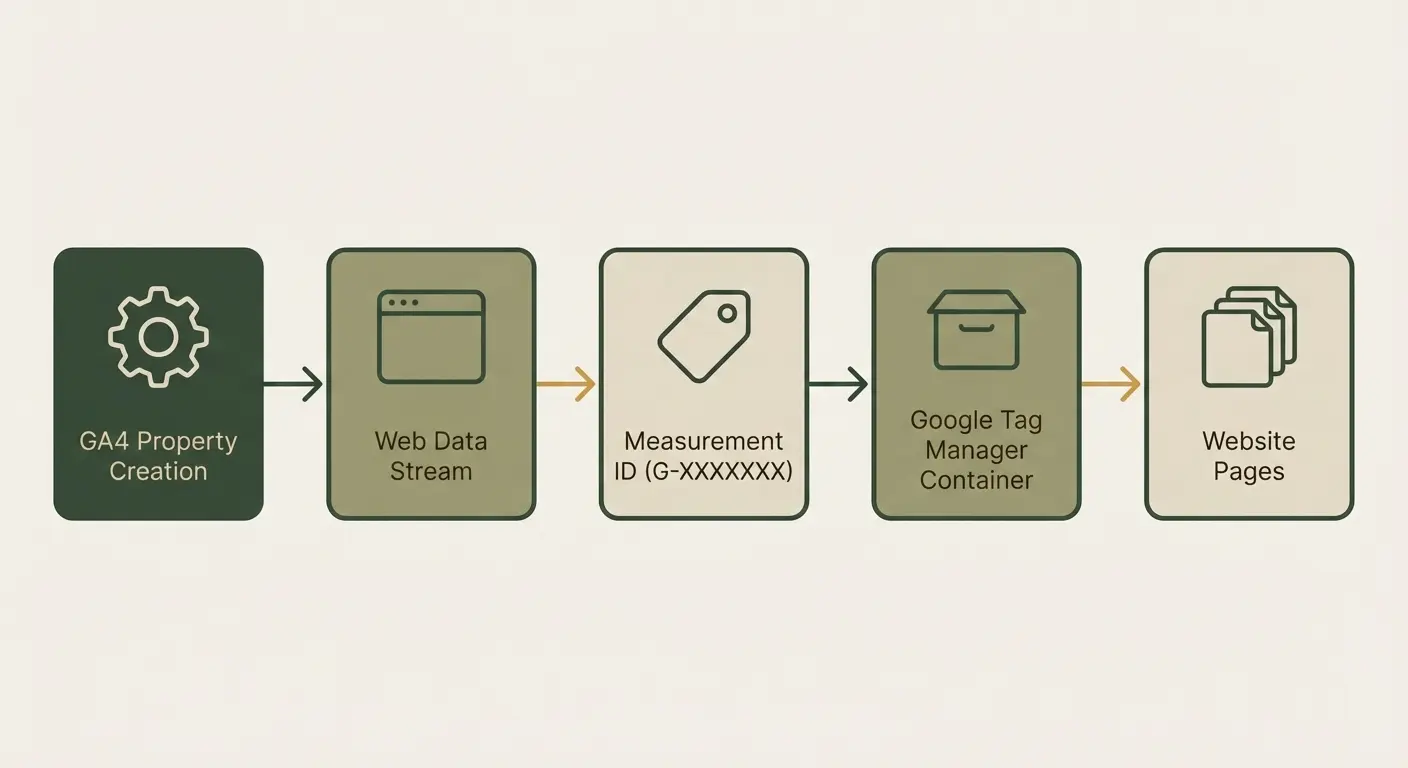
The first stage is laying the foundation. Registering in GA4 and creating a data stream for your website takes minimal time but is critical for future analysis.
Process details
You need to create a new GA4 property, choose the data type “Web,” and obtain a unique identifier (G-XXXXXXX). Then this code must be placed on all pages of your website. The cleanest and most flexible method is via Google Tag Manager (GTM).
Why this matters for business
Correct installation guarantees that you will start collecting clean data about visitors. If you place the code incorrectly or skip important settings, you risk getting a distorted picture.
For example, double counting sessions artificially inflates traffic. If you are not confident in your abilities, our specialists can provide turnkey GA4 setup so the data is clean from the very first second.
Step 2: Setting up key events for E-commerce
For e-commerce, visiting the site is only the beginning. You need actions that directly lead to financial results. This is exactly what enhanced ecommerce tracks in depth, allowing you to see the full purchase cycle from the first click to payment.
Your golden four events (Conversion tracking)
These events are the pillars of any successful analytics for an online store. Without them, you don’t know what drives a customer to buy.
- View_item (product view) — your interest indicator. If customers view a specific model but don’t add it to the cart, you may need to improve its description or photos.
- Add_to_cart (add to cart) — the first serious step. You see which products people are ready to buy, but something stops them from proceeding.
- Begin_checkout (checkout start) — the customer has moved to the payment page. This is high intent. If there is major drop-off here, in 90% of cases the problem is the form, logistics, or unexpected fees.
- Purchase (purchase) — the final event. This is what we use to calculate the ROI of your advertising.
Concrete example
We saw a store where 70% of users added a product to the cart, but only 10% reached payment. After setting up detailed conversion tracking, it turned out that 90% of losses occurred at the shipping service selection stage. This is not a traffic problem — it is a logistics problem that GA4 revealed instantly.
Step 3: Key GA4 reports to review daily
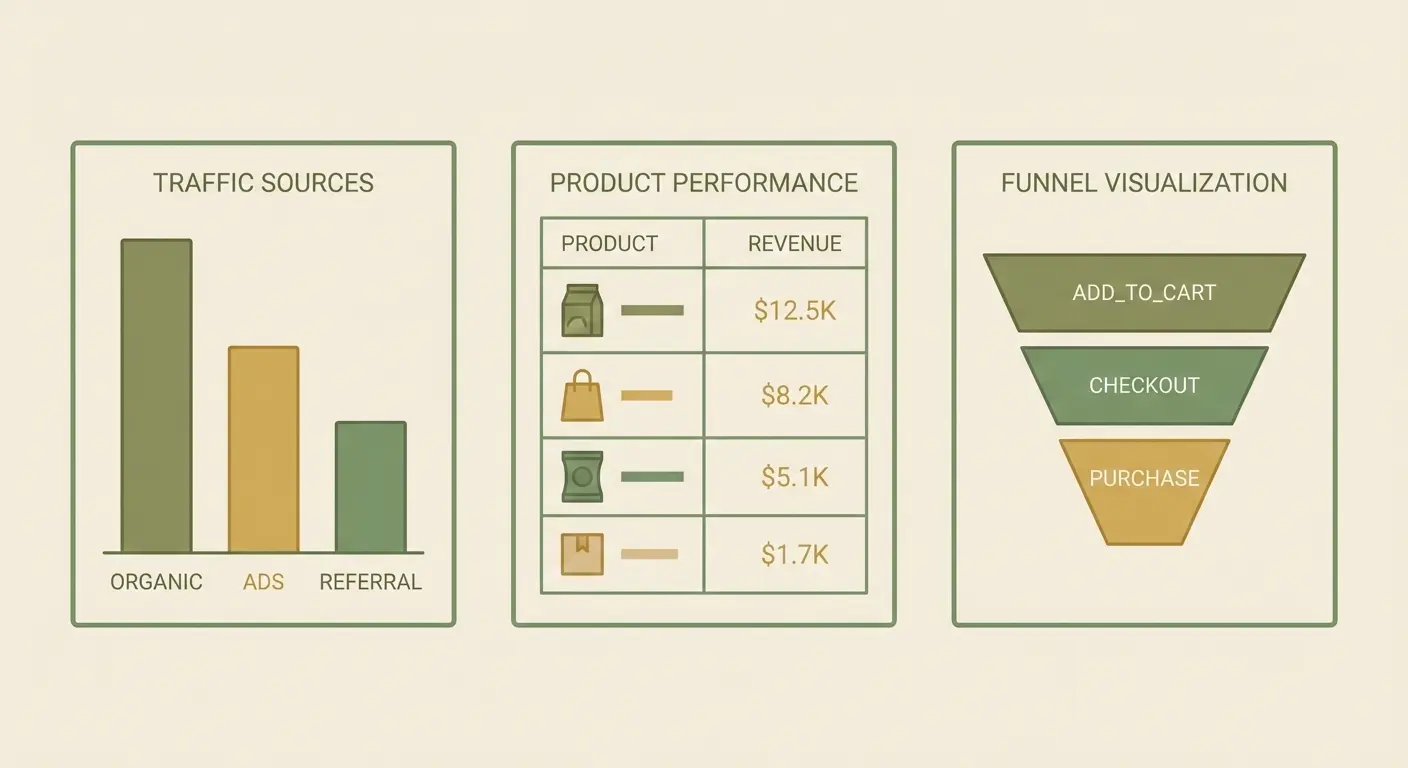
Do not drown in data. For a pragmatic entrepreneur, monitoring three key areas is enough to make decisions today.
Behavior analysis and traffic sources
Traffic sources (acquisition)
Here you see whether your advertising budget is actually working. If you pay for Google Ads but most profitable purchases come from Google Search (Organic), you understand that SEO needs strengthening. You will stop wasting budget on ineffective channels.
Page performance (product reports) — not just which pages are popular, but which products generate the most revenue and which have high “viewed but not purchased” rates.
This is a direct tool for assortment optimization.
Sales funnel (exploration > funnel) — this report is your process control tool. It shows the percentage of users who move from add_to_cart to purchase.
This is a direct indicator of the quality of your customer interaction.
Why basic settings are not enough for growth
Basic setup will show you WHAT happened. For example, you will see that you have 100 sales. But for growth, you need to know WHY it happened and what to do next.
To make decisions that truly increase profit and deliver real ROI, an integrated approach is required, including deeper behavior analysis of users.
Simply put, seeing the total number of customers is not enough. You need to know whether the same customer who added a product to the cart on Monday returned on Wednesday via advertising and completed the purchase. This requires deeper integration beyond the basic code.
How Kliox sets up turnkey analytics
At Kliox, we understand that you invest money not in software but in profit. That is why we create an individual enhanced ecommerce tracking model that accurately reflects your specific funnel.
We don’t just install code. We configure deep parameters so you can clearly see the payback of your advertising campaigns. You receive ready, understandable dashboards that you can review once a week and see how your business is performing.
We handle all the technical complexity — you get clean, actionable insights, not just numbers.
General conclusion on GA4 analytics
Start collecting data from day one, because every day without proper analytics means lost sales and a lack of market understanding. GA4 is your control tool.
Are you sure your website collects the right data that leads to profit? Don’t rely on guesswork. Order a free audit of your analytics setup from Kliox. We will show what data you are losing right now and how to fix it.